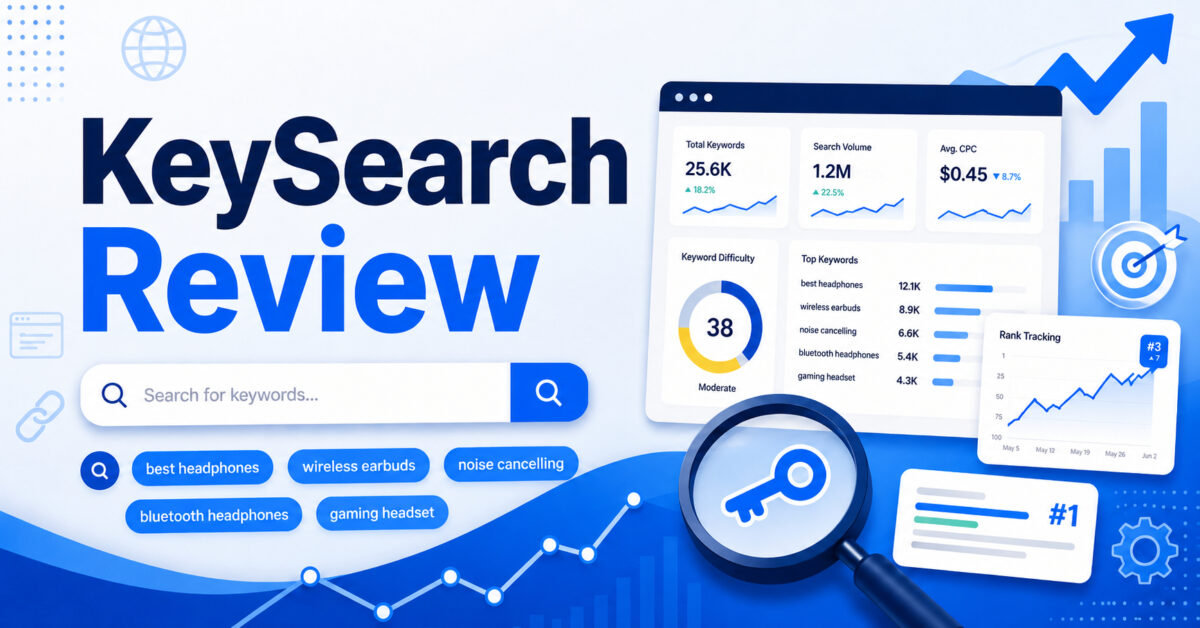
Quick verdict (answer in 100 words): KeySearch is a practical, budget-friendly keyword research and light-SEO toolkit best suited to bloggers, affiliate marketers, niche site builders, and small businesses. If your goal is finding reachable long-tail keywords, checking SERPs, tracking a modest number of terms, and planning review/comparison posts without paying enterprise prices, KeySearch is worth considering in 2026. It won’t replace Ahrefs or Semrush for deep backlink or large-scale agency work, but for solo publishers it offers most of what matters at a much lower monthly cost.
- Best for: bloggers, affiliates, niche sites, small businesses
- Strength: affordable keyword research + SERP analysis
- Main tradeoff: less depth on backlinks and enterprise reporting
What is KeySearch?
KeySearch is an SEO platform focused on keyword research and practical content planning. Its core capabilities include keyword discovery, keyword difficulty scoring, SERP analysis, competitor keyword research, rank tracking, a basic backlink checker, site audits, YouTube keyword research, and AI-assisted content features. KeySearch intentionally targets smaller publishers and solo SEOs who need actionable data without the complexity or price tag of full marketing suites.
How KeySearch works (overview)
At its core, KeySearch pulls keyword data, estimates search volume, computes a keyword difficulty (KD) score, and shows the live top-10 SERP for each query. You start with a seed keyword or domain, filter and sort results by volume, KD, or intent, then use the built-in SERP analysis to inspect the top results’ authority and content quality. Optional tools like rank tracking and site audits help you monitor performance after publishing. Foresight and the AI Content Assistant are layered features that try to turn the raw metrics into actionable content suggestions.
KeySearch pricing (Starter vs Pro)
KeySearch is priced to be accessible for solo creators. The two main plans people compare are:
- Starter — $24/month (typical listing): ~200 keyword searches/day, 80 tracked keywords, 2,000 audited pages, and 5,000 AI credits.
- Pro — $48/month (typical listing): ~500 keyword searches/day, 200 tracked keywords, 5,000 audited pages, 15,000 AI credits, and access to Foresight.
Starter covers most solo bloggers and new niche sites; Pro adds higher limits and Foresight, which can be helpful once you scale. (Check KeySearch’s billing page for current offers and any seasonal coupons.)
- Starter is often enough for one-person blogs and new affiliate sites.
- Pro makes sense when you track many keywords or want Foresight recommendations.
Main KeySearch features
- Keyword Research: Seed keywords, suggestions, bulk upload, and filters to find long-tail and buyer-intent phrases.
- Keyword Difficulty (KD): A proprietary score that estimates how hard it is to rank in the top results.
- SERP Analysis: Live top-10 results including DA/PA-like metrics, word count, and page-level signals to judge competition.
- Competitor Research: Discover competitor keywords, top pages, and gaps to target.
- Rank Tracker: Track keyword position over time with daily updates on Pro plans and periodic updates on Starter.
- Backlink Checker: A lightweight backlink view for top competitors (not as deep as Ahrefs).
- Site Auditor: Scan pages for on-page SEO issues and technical basics.
- YouTube Research: Keyword discovery and competition signals tailored for video search.
- AI Content Assistant: Helps with content outlines, title ideas, and suggestions—useful for drafting, but not a replacement for manual writing and editing.
- Foresight: An AI-driven recommendation layer (Pro) that analyzes your site and niche to surface content opportunities and priority keywords.
What I like about KeySearch
- Affordability: Monthly cost is targeted at solo creators and is substantially lower than full enterprise suites.
- Beginner-friendly UI: The interface is uncluttered and easier to learn than a large platform.
- Good for long-tail discovery: Filters make it straightforward to find buyer modifiers and review/comparison keywords.
- SERP-first approach: Built-in SERP snapshots help you judge a keyword at a glance instead of relying on KD alone.
- Useful feature mix: Keyword research, rank tracking, audits, YouTube research, and AI help are included so you get an all-in-one toolbox for content sites.
- Practical limits: Starter plan limits are sensible for most single-site owners; Pro raises those limits for small networks.
What I don’t like about KeySearch
- Shallow backlink data: The backlink checker is useful for quick checks but doesn’t match the depth or freshness of Ahrefs’ index.
- Not a marketing suite: It lacks many Semrush-style marketing features (PPC data, brand monitoring, large-scale reporting).
- Don’t trust KD blindly: Like all tools, KeySearch’s KD and volume estimates are approximations—manual SERP inspection is still required.
- Limits for multi-site managers: Agencies or publishers with dozens of sites may find tracking limits tight and miss advanced reporting.
- AI assistance is a helper, not a writer: Use the AI Content Assistant to speed ideation and outlines, not to publish unedited content.
KeySearch vs Semrush
Semrush is a full digital marketing platform that covers SEO, PPC, social, content marketing, and analytics. Semrush’s depth—especially for backlink research, local SEO features, and advanced site audits—outstrips KeySearch. However, Semrush’s price and learning curve make it overkill for many solo bloggers and small affiliates. If you need enterprise reporting, large-scale backlink intelligence, or marketing campaign tools beyond SEO, Semrush is the right choice. If you want a focused, lower-cost keyword research toolkit, KeySearch is the more practical pick.
KeySearch vs Ahrefs
Ahrefs provides stronger backlink coverage, a larger index, and robust competitor analysis tools. Ahrefs’ Site Explorer and Content Explorer are industry-leading when you need deep link analysis and content gap discovery. That said, Ahrefs’ entry-level price and data depth are beyond what many beginners need. KeySearch is more approachable and cheaper for keyword discovery and practical content planning. If backlinks are your primary growth strategy, Ahrefs is preferable; if you’re focused on content-driven growth on a budget, KeySearch will often be sufficient.
KeySearch vs Ubersuggest and LowFruits
Ubersuggest (by Neil Patel historically) and LowFruits are budget-friendly alternatives with different strengths. Ubersuggest provides simple keyword research and some backlink data, while LowFruits is specialized for uncovering weak SERPs and small wins by filtering for low-competition queries that other tools might miss. KeySearch sits between these: it offers a broader, more polished toolkit than Ubersuggest and is more general-purpose than LowFruits. If you want a single affordable tool covering most of your needs, KeySearch is a sensible middle ground.
How accurate are KeySearch’s KD and search volume estimates?
All third-party tools use sampled or aggregated data and will differ from Google’s private numbers. KeySearch’s KD and volume are useful as directional indicators—helpful for prioritizing keywords—but shouldn’t be treated as gospel. Always:
- Open the SERP analysis to inspect the top pages.
- Check search intent: informational vs buyer vs transactional.
- Cross-reference with Google Search Console for your site’s actual impressions and clicks where possible.
In practice, KeySearch KD tends to be conservative enough to help small publishers find realistic opportunities, but manual checks remain essential.
Can KeySearch find low-competition keywords and help new sites rank?
Yes—KeySearch is designed to help you identify lower-competition long-tail phrases and buyer-intent modifiers (best, review, coupon, vs, alternative). For new sites with low domain authority, the combination of filters and SERP analysis helps you spot pages ranking with weak backlinks, outdated content, or thin posts—opportunities you can target. KeySearch won’t magically rank a site, but it simplifies the research steps required to prioritize achievable topics.
My Simple KeySearch Workflow (practical steps)
- Enter a seed keyword (e.g., “outdoor coffee grinder”).
- Filter results: KD low-to-medium, volume reasonable, and buyer modifiers (review, best, top, vs).
- Open the SERP analysis for a shortlist of candidate keywords.
- Inspect top results for weak signals: low word count, few backlinks, outdated dates, or forum pages ranking.
- Choose a target keyword where intent fits your content and competition looks beatable.
- Write an article focused on intent (review/comparison or buyer’s guide), structured to be clearer and more helpful than competitors.
- Publish, then add the keyword to KeySearch’s rank tracker and monitor for movement.
This workflow emphasizes SERP inspection over trusting KD alone and is built for steady content-driven growth.
Walkthrough: finding one low-competition keyword (text guide)
Example process in KeySearch (no screenshots here):
- Type a broad seed keyword like “best camping stove”.
- Sort results by KD ascending and apply a minimum volume threshold (e.g., 50–200/mo) to avoid extremely low-volume queries unless intent is clear.
- Pick a keyword with a KD in the lower band and sensible commercial intent (e.g., “best camping stove for backpacking 2026”).
- Open SERP analysis—look for pages with few backlinks, short content, or outdated buying guides that you can out-write and update.
- If many top results are from large retailers or brand pages, consider adding long-tail modifiers (lightweight, ultralight, review) to narrow competition.
That process illustrates why KeySearch’s combo of filters + SERP view is practical for finding actionable keywords.
Does KeySearch include competitor and backlink analysis?
Yes—but the backlink tool is intentionally lightweight. KeySearch surfaces link counts and some referring domains for top pages, which is sufficient to spot weak-link competition but not to run advanced link prospecting at scale. Use KeySearch for quick competitive checks and pair it with Ahrefs or a dedicated backlink tool if you need exhaustive link data.
Does KeySearch have rank tracking, site audits, and YouTube research?
Yes. Rank tracking is included with limits depending on the plan. The site auditor checks on-page SEO and basic technical issues. YouTube research is a useful niche feature if part of your strategy is video content. These features make KeySearch a more complete toolkit for content-focused creators.
What is KeySearch Foresight?
Foresight is KeySearch’s AI-driven recommendation engine (typically included on Pro). It analyzes your existing content, rankings, and niche trends to prioritize keyword opportunities—helping you pick which content to update, expand, or create next. Think of Foresight as a suggestion layer that can save time on opportunity discovery—but it should be combined with human judgment and manual SERP checks.
KeySearch AI Content Assistant
The AI Content Assistant helps generate outlines, headings, meta title suggestions, and content ideas based on the target keyword and SERP context. It speeds up drafting and ideation but isn’t meant for unattended article generation. Use it to create a strong skeleton and ensure your article covers the same intent signals as top-ranked pages—then add original examples, data, and expertise.
Who should use KeySearch?
- Bloggers and niche site builders who prioritize content and need affordable keyword discovery.
- Affiliate marketers and product review sites hunting buyer-intent keywords and coupon/comparison phrases.
- Small business owners who manage their own content marketing and need an affordable SEO toolkit.
- Beginner to intermediate SEOs who want an approachable interface and practical data.
Who should avoid KeySearch?
- Large agencies or enterprises that need multi-client reporting, custom dashboards, or massive keyword limits.
- Link builders or technical SEOs who depend on the deepest backlink indices and historical link graphs.
- Marketers who need a full-stack digital marketing platform with PPC, social listening, or large-scale campaign management.
Common objections and honest trade-offs
“Will KeySearch be enough or do I still need Ahrefs/Semrush?” If you run a one-site blog or a small affiliate network, KeySearch will likely provide the majority of daily research needs. If you do heavy link outreach, enterprise reporting, or in-depth technical SEO, you’ll eventually need a deeper platform. Many publishers use KeySearch as a primary research tool and supplement with occasional Ahrefs or Semrush checks for backlink audits.
Is KeySearch good for local SEO, Pinterest, or YouTube?
KeySearch is primarily content- and keyword-focused. It supports YouTube keyword research directly. For local SEO or Pinterest—KeySearch can help with keyword ideas and content structuring, but specialized tools or manual platform-specific research may still be required for tactics like citation building or Pinterest pin testing.
Practical recommendations (plans & usage)
- If you run a single blog or a new niche site: start with Starter and test whether 80 tracked keywords and daily searches cover your workflow.
- If you manage multiple sites, publish frequently, or want Foresight: Pro is worth the upgrade for higher limits and AI recommendations.
- Use KeySearch alongside Google Search Console and Analytics; combine tool data with your site’s real performance metrics.
- Starter — good for solo bloggers and new affiliate sites.
- Pro — for growing sites that want Foresight and larger limits.
- Use KeySearch as your daily research tool and supplement with deeper tools as needed.
Final verdict: Is KeySearch worth it in 2026?
Yes—for the right user. KeySearch is worth buying if your main objectives are finding achievable blog and affiliate keywords, analyzing SERPs, and monitoring a modest set of rankings without paying enterprise prices. It streamlines the research-to-content workflow and offers features that matter most to content-first publishers. It’s not the top choice if you need exhaustive backlink intelligence, advanced PPC analytics, or multi-client agency dashboards—but for bloggers, niche site owners, and small-business content teams, KeySearch delivers excellent value.
Pros and cons (quick list)
- Pros: Affordable, beginner-friendly, good long-tail discovery, practical feature mix, Starter plan often enough for solo owners, Pro adds Foresight and higher limits.
- Cons: Not as deep on backlinks as Ahrefs, lacks enterprise breadth of Semrush, KD and volumes are estimates, some users may outgrow limits, AI is assistive not autonomous.
FAQ
Does KeySearch offer a free trial?
KeySearch occasionally runs trial promotions. Availability changes, so check KeySearch’s site for current trial or promo options before subscribing. You can also start on the Starter plan and evaluate limits before upgrading.
Can I cancel KeySearch anytime?
Yes—subscriptions can be cancelled via your account. Check the terms and billing page for the current refund or cancellation policy.
Is KeySearch cheaper than Semrush or Ahrefs?
Generally, yes. KeySearch is priced for solo creators and is substantially cheaper than Semrush and many full Ahrefs tiers. That price difference reflects fewer enterprise features and a smaller index, which is a deliberate trade-off.
Is KeySearch accurate enough for beginners?
KeySearch provides directionally useful KD and volume estimates suitable for beginners. The interface encourages SERP inspection, which compensates for the inherent estimation errors of third-party tools. Beginners should still learn to verify intent and inspect top results manually.
Can KeySearch find keywords for affiliate product reviews?
Yes. Use filters to find buyer-intent modifiers (review, coupon, price, vs, best) and inspect the SERP for weak review pages you can out-write. KeySearch’s long-tail discovery is well suited to review and comparison posts.
Do I still need Google Search Console with KeySearch?
Yes. KeySearch helps with keyword discovery and tracking, but Google Search Console provides the authoritative performance data (impressions, clicks, CTR) for your own site and should be used alongside any paid tool.
What are the best KeySearch alternatives?
Alternatives depend on needs: Ahrefs (deep backlink & content research), Semrush (full marketing suite), Ubersuggest (budget keyword tool), LowFruits (weak SERP discovery), and SE Ranking (rank tracking & reporting). For many solo publishers, KeySearch sits comfortably between Ubersuggest and Ahrefs.
Affiliate disclosure
This review contains affiliate links. If you decide to buy KeySearch using the link in the review metadata or CTA, Affiliate Digest may earn a commission at no extra cost to you. We only recommend tools we think provide good value for specific user needs. Use the trial or Starter plan to test whether KeySearch fits your workflow.
Try KeySearch — view plans & current deals
Closing notes
KeySearch is intentionally modest in scope: it’s built for creators who publish content and want to make smarter decisions without the overhead of enterprise tooling. If you prioritize practical keyword discovery, SERP-first analysis, and an affordable monthly bill, KeySearch remains a strong contender in 2026. For exhaustive backlink analysis, multi-client reporting, or full marketing automation, expect to pair KeySearch with a deeper platform or upgrade to a different tool as your needs grow.
More from The Affiliate Digest
-
Tube Claw AI review: Features, pricing, is it legit or a scam?
Tube Claw AI promises an all-in-one AI toolkit for faceless YouTube channels: scripts, voices, avatars, SEO and uploads.…
-
Brett Rutecky’s Affiliate Store Review
Affiliate Store is a low-cost, no-code AI assistant for creating a simple affiliate storefront. It can generate product…
-
How to Get Traffic for Affiliate Marketing: A Beginner’s Step‑by‑Step Guide
Practical, step-by-step methods to get targeted traffic for affiliate marketing — free and paid options, SEO and content…
-
Aigency Valet Review — What Joshua Zamora’s Service Promises and Who It’s Best For
Aigency Valet is a marketing/agency support product marketed by Joshua Zamora that promises systems and assets to help…
-
Vidicom review: AI product videos for e-commerce (2026)
Vidicom is an AI video generator that creates studio-style product videos from a product URL. It’s designed for…